Free Online
PDF Combiner
Upload documents right in your browser to merge PDFs with ease. Join PDF files with images and other files with no installation.

Desktop
PDF Merger
Combine multiple PDF documents on your Windows computer. Rearrange and select specific pages with Icecream PDF Split & Merge.
Professional Features for PDF Merging
From personal use to office workflows, our PDF merger helps you create polished documents by combining multiple PDF files into one cohesive one. Perfect for reports, manuals, and more.
-
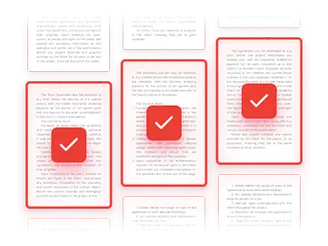
Combine Specific Pages
Choose exact page numbers, select multiple ranges, or remove unnecessary content to create organized documents.
-
Free PDF Merger
Combine PDF files offline without paying a cent. Our software is available to everyone at no cost, with only a few limitations.

-
Secure PDF Joiner
Your privacy comes first. Files are processed locally or deleted from our servers within 2 hours. No data is shared with third parties.

-
Password Protection
Add passwords or set permissions directly when combining your PDF files. Great for confidential and business documents.

-
Instant Preview Mode
Reorder PDF pages or deselect unwanted sections before you merge your PDFs.
 PDF Combiner Reviews
-

I use Icecream PDF Split & Merge daily to combine client documents into one professional file. It’s easy, fast, and keeps everything in order.
-

Had to join dozens of PDFs for a university project. pdf-merger.online handled them all flawlessly - no lag, no quality loss, just one perfect document.
-

I’m often on the go, and the online PDF merger is a must-have. I can merge PDF files on any device and save tons of time. Totally recommend it!
-

The offline PDF joiner is a lifesaver for work papers. I can add multiple documents, reorder pages, and even add passwords. Fast, secure, and super reliable!
-

I had to merge several manuals for a client presentation. The instant preview made it easy to remove unnecessary pages, and the result looked great. Highly recommend!
-

This tool handles large files without any lag. Being able to merge specific PDF pages and set permissions is exactly what I needed for sensitive documents.
Merge PDF Files on PC
Join multiple PDFs into a single document offline. Whether you’re assembling a portfolio or putting together scans, our software is perfect for combining your PDF files.
Download for Windows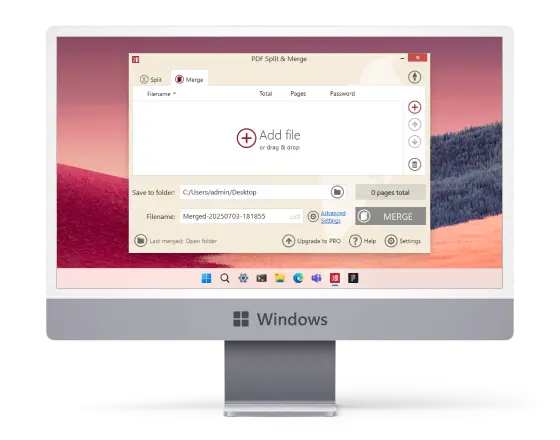
 Frequently Asked Questions
-
How do I arrange the order of files before merging PDFs?
You can drag and drop the uploaded documents to rearrange them, or preview pages for precise order.
-
Can I combine PDF files that are password-protected?
Yes, as long as you remember the code. Once entered, you can merge such PDFs like any other.
-
Is there a maximum size for merging the PDF files?
The desktop PDF joiner supports files of any size, including large reports or multiple scanned documents.
-
Can I merge PDF files with different page sizes or orientations?
Yes. Icecream PDF Merger preserves original dimensions, allowing you to join files with mixed layouts without changing formatting.
-
What file types can I merge into a PDF?
The online PDF merger also allows you to upload images in formats like PNG or JPG.